Waiting-For List: Track Work Held Up by Other People
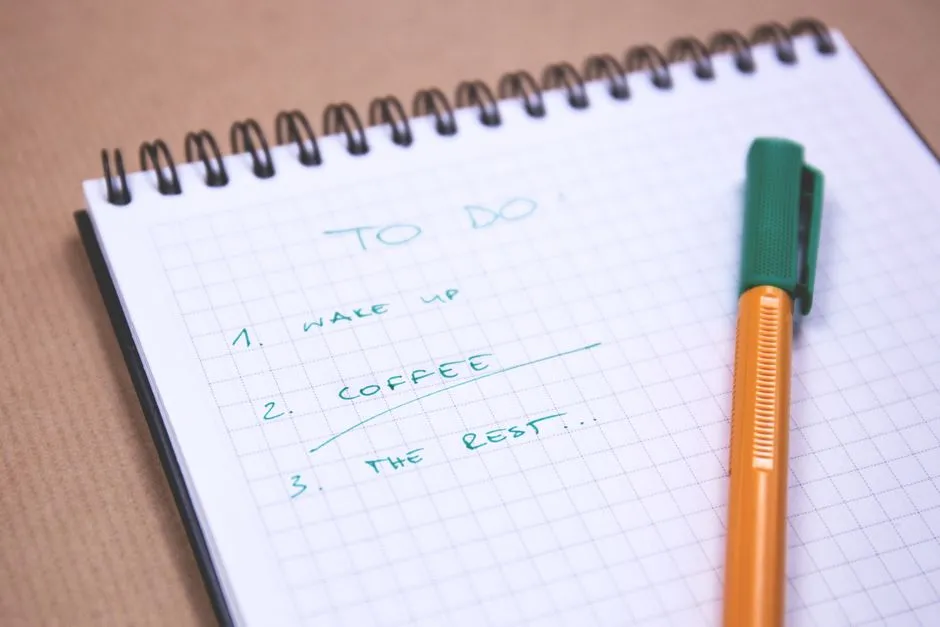
- What is a waiting-for list?
- What belongs here, and what does not?
- Which fields make an entry usable?
- What does a worked example look like?
- How often should you review waiting items?
- What should a follow-up message say?
- What if the person cannot deliver?
- Can an app keep review dates separate from deadlines?
- When can you close an item?
- Sources
What is a waiting-for list?
A waiting-for list records specific replies, decisions or deliveries you need from someone or something else. Give each entry an expected result, a named contact, the request date, any genuinely agreed deadline and your next review point. Keep work you can do yourself on a separate action list. Review waiting items, follow up when appropriate, and record the next action when the missing result arrives.
The term appears in David Allen's Getting Things Done method. The David Allen Company's definitions distinguish waiting-for items from your own next actions and from ideas you are not currently committed to pursuing. The setup below is Briskly's practical adaptation, not a claim that a particular layout improves cognition or guarantees faster replies.
What belongs here, and what does not?
Use the list when you can name the missing result and the source you expect it from. "Waiting for the approved brochure text from the editor" is useful. "Waiting for the project to improve" does not identify anything you can check.
Our sorting test is simple:
- If you have not sent the request, write an action to send it.
- If you sent the request but have no acceptance, track it as a request awaiting acknowledgment.
- If someone agreed to provide a result, track that result and the agreement.
- If you can continue a different part of the project, give that part its own next action.
- If nobody is committed to pursuing the idea, reconsider whether it belongs on a future-ideas list.
That acknowledgment distinction matters. Writing a colleague's name in your notebook does not assign them work. Nor does a sent message prove that they accepted the proposed deadline. Record the actual state rather than the one that would make your plan easier.
Which fields make an entry usable?
Start with one list in a tool you already use. A page, note or task list is enough for a small collection. Add fields only when they help you make a follow-up decision.
Use this entry format:
- Result: exactly what you are expecting.
- Contact: the person or established service channel handling it.
- Requested: when you sent the request, with a reference to the original.
- Agreement: what was accepted, including the deadline if one exists.
- Review: when you will next check the situation.
- Next move: what you will do if the result is still missing.
"Agreement" and "review" need separate meanings. An agreed Friday delivery belongs to the shared commitment. Your Wednesday check is your own planning choice. It does not make the other person late on Wednesday.
Use short references rather than copying whole conversations. "Brochure thread, Monday request" may be enough to locate the details. In a workplace, keep confidential material in its approved system and store only the reference your organization permits.
What does a worked example look like?
The following people, commitments and events are entirely fictional. The table illustrates an ordinary week's list, not a record of work we performed.
| Expected result | Contact and request | Actual agreement | Your review point |
|---|---|---|---|
| Edited brochure text | Rowan; requested Monday | Text accepted for delivery Thursday noon | Thursday noon |
| Decision between two workshop titles | Priya; requested Tuesday | Request not yet acknowledged | Wednesday afternoon |
| Confirmation of the shared room booking | Facilities desk; ticket sent Tuesday | No response time stated | Thursday morning |
These rows require different behavior.
For Rowan, Thursday noon is a stated commitment. Before then, do not describe the work as overdue. If your circumstances change, ask whether an earlier response is possible and explain why; do not silently change the recorded agreement.
For Priya, first establish that the decision request reached the right person and whether they can take it. The Wednesday review is not proof that Priya promised a Wednesday answer.
For the facilities ticket, check the existing ticket or official response information before creating another request. If the room is required for a specific event, include that real constraint in the communication, but do not invent a service deadline that nobody supplied.
The table is deliberately plain. Its useful feature is not a color scheme. It is the difference between a promise, an unanswered request and a service inquiry.
How often should you review waiting items?
The official GTD Weekly Review checklist includes checking the waiting-for list, recording needed follow-up actions and marking received items complete.
For this smaller adaptation, choose a regular review that fits your commitments, then add item-specific checks when waiting longer would matter. A weekly review is not a reason to ignore something needed tomorrow. Equally, a routine question with no approaching consequence does not require repeated daily messages.
At a review, ask:
- Did the result arrive somewhere I have not checked?
- Is the request still needed?
- Is the recorded contact still appropriate?
- Has a real commitment or circumstance changed?
- What is my next action, if any?
Keep reading separate from doing. If a follow-up needs a longer conversation, record that action rather than letting one item consume the entire review. Your three-task daily plan is the place to make room for work you can actually perform today.
What should a follow-up message say?
Include the original request, the specific missing result and the relevant consequence. Ask a question the recipient can answer.
For the fictional brochure example, after the agreed deadline:
Hello Rowan, checking on the edited brochure text we agreed for Thursday noon. I need the confirmed wording before preparing the final layout. Is it ready to send, or should we agree a revised time? The original draft is in our brochure thread.
This is a fictional script, not a quoted real message. Adapt the tone, detail and channel to the relationship. Keep sensitive information out of a public channel and respect working hours, leave and agreed communication practices.
Do not treat "just checking in" as a complete description when the recipient must reconstruct the request from several conversations. Do not escalate by copying more people merely because your reminder appeared. Follow the team's process, and explain the actual decision or dependency that needs attention.
What if the person cannot deliver?
Change the plan, not just the reminder date. Depending on your authority, the next move may be to agree a revised scope, request a different contact, seek a decision from the project owner or stop work that no longer makes sense.
Clear responsibility is also part of GitLab's published DRI approach, where a directly responsible individual owns a project or activity and communicates its objectives and progress. That is an example of one organization's practice, not a universal hierarchy you should impose on coworkers.
In your own setting, identify who can actually decide the trade-off. The person sending reminders may not have authority to approve a delay or substitute a deliverable.
For example, if a workshop title remains undecided, you might prepare both layout options while waiting. But publishing one without the required approval is not simply another productivity technique. Record the dependency and ask the authorized decision-maker what can proceed.
Can an app keep review dates separate from deadlines?
Sometimes the existing fields are enough. Microsoft To Do's documentation describes separate Add due date and Remind me controls; the latter lets you choose a date and time for a reminder.
Our suggested use is to reserve the due date for an actual deadline and use the reminder for your own review. Keep the accepted commitment in the task's details so you can distinguish it from a date you chose. This is a documented-feature example, not a product test or a recommendation to migrate your system.
If your tool cannot express that distinction clearly, write labeled dates in the entry. On paper, "agreed: Thursday noon; review: Thursday noon" is unambiguous. Where no deadline was agreed, write that explicitly instead of assigning an arbitrary overdue date.
When can you close an item?
Close it when the expected result is received, the request is deliberately withdrawn, or responsibility is explicitly transferred through the appropriate process. Do not close it merely because someone replied.
Return to the fictional table. Suppose Rowan supplies the completed text, Priya asks which audience the title should address, and the facilities ticket remains unanswered. The brochure waiting item is complete; checking and using the text becomes your own action. Priya's question creates an action for you to answer. The room confirmation remains a waiting item.
One reply completed a dependency; another revealed missing input. Treating both as "done" would conceal the remaining work. Record the next step before removing the old entry from view.
If restarting the unblocked task is difficult, use the short focus-reset routine to find its next concrete action. This list is an organizational aid, not medical or mental-health treatment. Adapt it to accessibility needs and circumstances; persistent or distressing concentration changes deserve support from an appropriately qualified professional.